How to tap WhatsApp

Currently the SMS has been replaced with an application called WhatsApp. Not only in the form of text messages, WhatsApp also offers picture, audio, file, contact, and so on. Besides that, WhatsApp is also famous for its good peer-to-peer encryption security.
WhatsApp does have a high level of security, but that doesn't mean it can't be tapped. There is no safe system, every system must have a crack to hack. Then how do you tap WhatsApp?
Even the actual sms can also be tapped, curious how? In the article how to tap the SMS we have thoroughly discussed this.
Before further, this is specifically for you Android users who have been rooted. If your smartphone doesn't have root access, please root first. For the root process, you can also install the root Android application without having to use a PC.
The root process on Android is not as difficult as you think. Generally, just download the application that matches the type of your smartphone, then just click root and wait. If it is successful then you will get root access, if nothing fails nothing will happen.
Back to the initial problem, the technique used to tap WA is sniffing. The hacking sniffing technique is part of MITM (Man In The Middle) Attack, the way this technique works is to steal data packets that pass on the network and are not encrypted. See the information below:
How to tap WhatsApp far away
1. First download the application called "WhatsApp Sniffer". You can download the application

Note: If you use an antivirus on Android, then how to tap WhatsApp will be detected as a virus. Give permission first or turn off the antivirus.
2. Next, you also have to download and install an application called "Busybox", you can download the application via the play store.

3. Make sure you are connected to the same network (one wifi device) with the victim. Cannot use GSM data networks such as 4G and 3G.
4. Open the "WhatsApp Sniffer" application, then give root access and "Busybox". Continue by clicking "ARP Spoof", then click "Run".
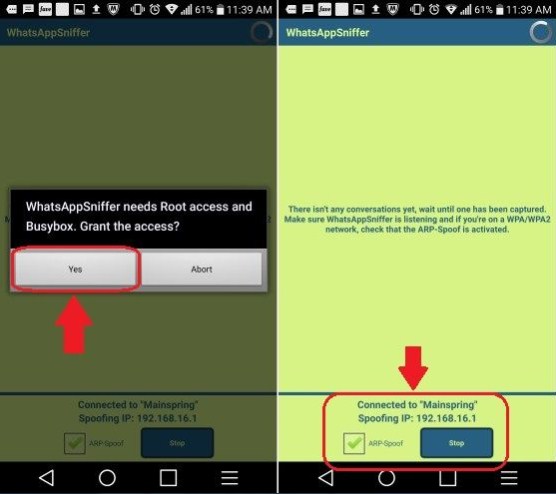
5. You just have to wait. Later, everyone who uses WhatsApp on the same network (one wifi device), you can find out what message was sent and received from the victim.
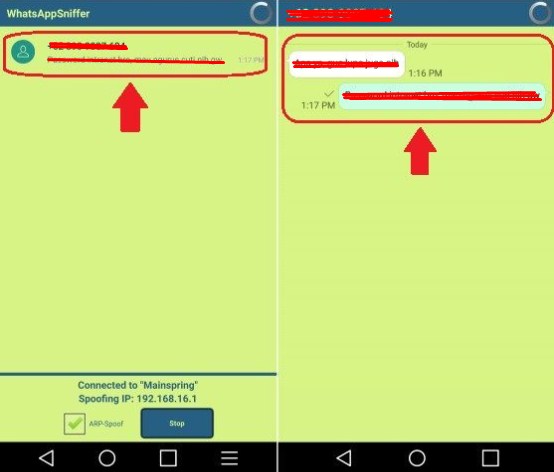
In order to make it easier for your plan to tap WhatsApp victims, provide free internet through portable hotspots. So you don't need to borrow the victim's cellphone
Apart from the above methods, you can also use other ways to tap the victim's WhatsApp.
Application to tap WA with Barcode
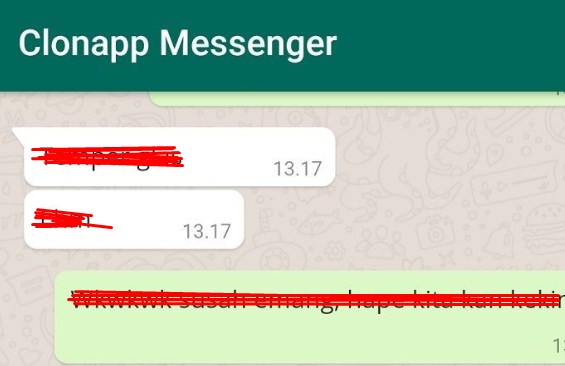
Clonapp Messenger is made by the developer Karoon. Then how do you use it? See the explanation below:
- First download the Clonapp Messenger application through the play store.
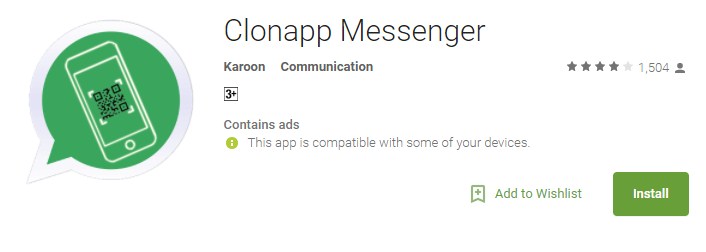
- Prepare your WhatsApp, then open the Clonapp Messenger application.
- Your next task is to scan the barcode with the WhatsApp Web feature on the victim's smartphone.
- Automatically, you can monitor all conversations on the victim's smartphone.
If you have learned how to tap WhatsApp as above, you should also learn how to prevent your WhatsApp from being tapped by others. Here berakal.com will give tips.
How to Secure WhatsApp from Tapper
1. Check WhatsApp Web / Desktop
WhatsApp has a chat feature through the browser or known as WhatsApp Web. However, this feature was made a loophole by other applications such as "WhatsWeb For Whatscan". How to use it is also very easy, just by scanning the barcode using the WhatsApp victim, the victim's WhatsApp conversation will appear on the tapper's smartphone.
If you are worried that WhatsApp has been hijacked with this application, try to be more diligent about entering WhatsApp Web / Desktop to check if there is another computer (in this case WhatsWeb For Whatscan) that has logged in using your account.
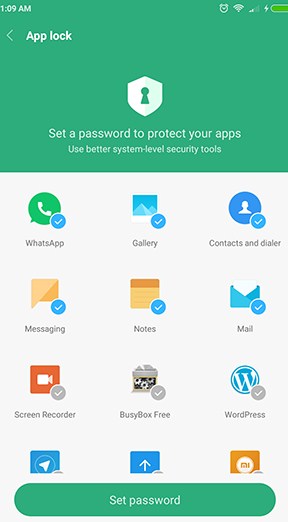
2. Use App Lock to Lock WhatsApp
Use the locking application to provide a password on your WhatsApp application, on the grounds that your privacy is more secure.
For Xiaomi smartphone users, this application lock has been pre-installed on MIUI. Even now, almost all Android smartphones have this feature without having to use third-party applications.
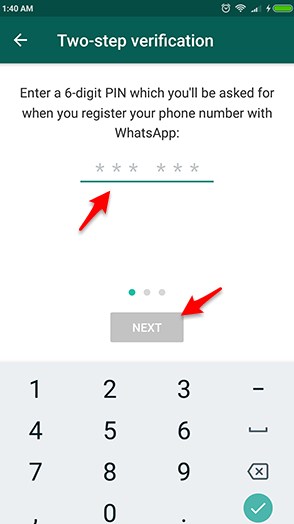
WhatsApp provides updates by adding security features, namely Two-Step Verification, a feature that activates the security of WhatsApp users by entering a six-digit password, functioning when you want to register a number again or re-installing WhatsApp again.
This feature is very useful to prevent your personal data or conversations being tapped by irresponsible individuals.
4. Installing AntiVirus and Anti Spy Applications
There are many antivirus applications available on the play store that you can download for free. After you download and install the antivirus application, do full scanning and cleaning of viruses, malware or keyloggers on your smartphone.
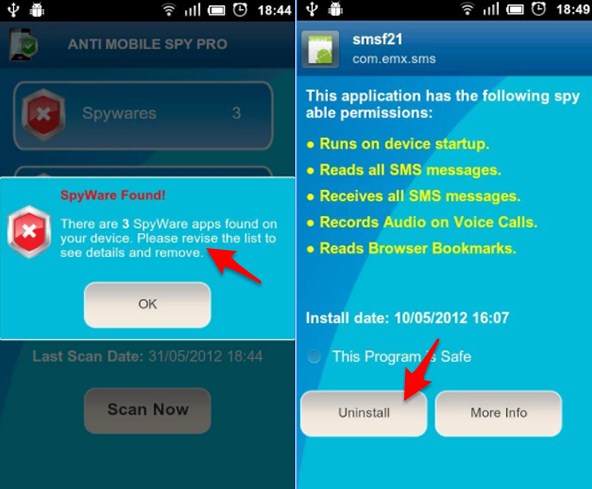
If you feel someone has tapped your smartphone with an application, try installing Anti Spy Mobile Free on the play store. If your smartphone has a tapping application installed, a warning like this will appear.
5. Know the HP Signs Have Been Tapped
Tapping by using the application will be more easily detected than tapping that is done professionally or with the frequency of the telephone.
The general signs of smartphones have been tapped with tapping applications, usually smartphones feel more extravagant than both the quota and the battery. This happens because tapping a smartphone with software requires an internet connection that is very drain on the internet quota to send tapped data to the tapping application server.
In addition, your smartphone often feels hot even when not in use. If this happens, you should suspect that someone has tapped your smartphone.
The best solution if this happens is to backup data and factory reset on your smartphone.
Use the method of tapping wa wisely, it is strongly recommended not to be misused. Hopefully it can be useful.