How to delete a Twitter account

If we haven't been active on Twitter for a long time, we can permanently delete our Twitter account via cellphone or computer. We can do the way to delete a twitter account if our account is still accessible (not forgetting the password) or not locked and suspended by Twitter.
Because if we don't use the account, we fear that our Twitter account will be misused by someone else by logging in without our knowledge.
Even though we know that Twitter is one of the most popular social media. We can share anything from writing, photos or images, to videos. Once in the previous article we shared about how to download videos on Twitter.
In addition, we can also see other people's posts and also give responses such as likes, comments, and also share them. Until now, Twitter is still very popular even though there are many other social media that are competing like Instagram.
But with the passage of time many users feel bored using Twitter for several reasons. One of the various reasons is to focus on life in the real world such as careers and so on.
In Twitter itself there are actually deactive features, but the feature only temporarily deletes the Twitter account. Now for those of us who want to permanently or permanently delete a Twitter account we can use several quick ways to delete the following Twitter account.
1. Via PC
This first method can be applied to those of us who used to use a computer or laptop to play twitter.
How to permanently delete a Twitter account via PC:
- Run a web browser like Chrome or Mozilla that exists on our computer.
- Then open https://twitter.com/ then log in using the account that we will permanently delete.
- After successfully logging in, click on the Profile menu of our Twitter account, located at the top right. After that, go to the Settings or Settings menu to delete the 2019 twitter account

- After being on the settings page. Scroll down to find Deactivate My Account or if you use Indonesian we will find Disable My Account. Click the option.

- There are several explanations about deleting twitter accounts. We can read it or just by pressing the blue button that says Deactivate or Disable which is followed @ username.
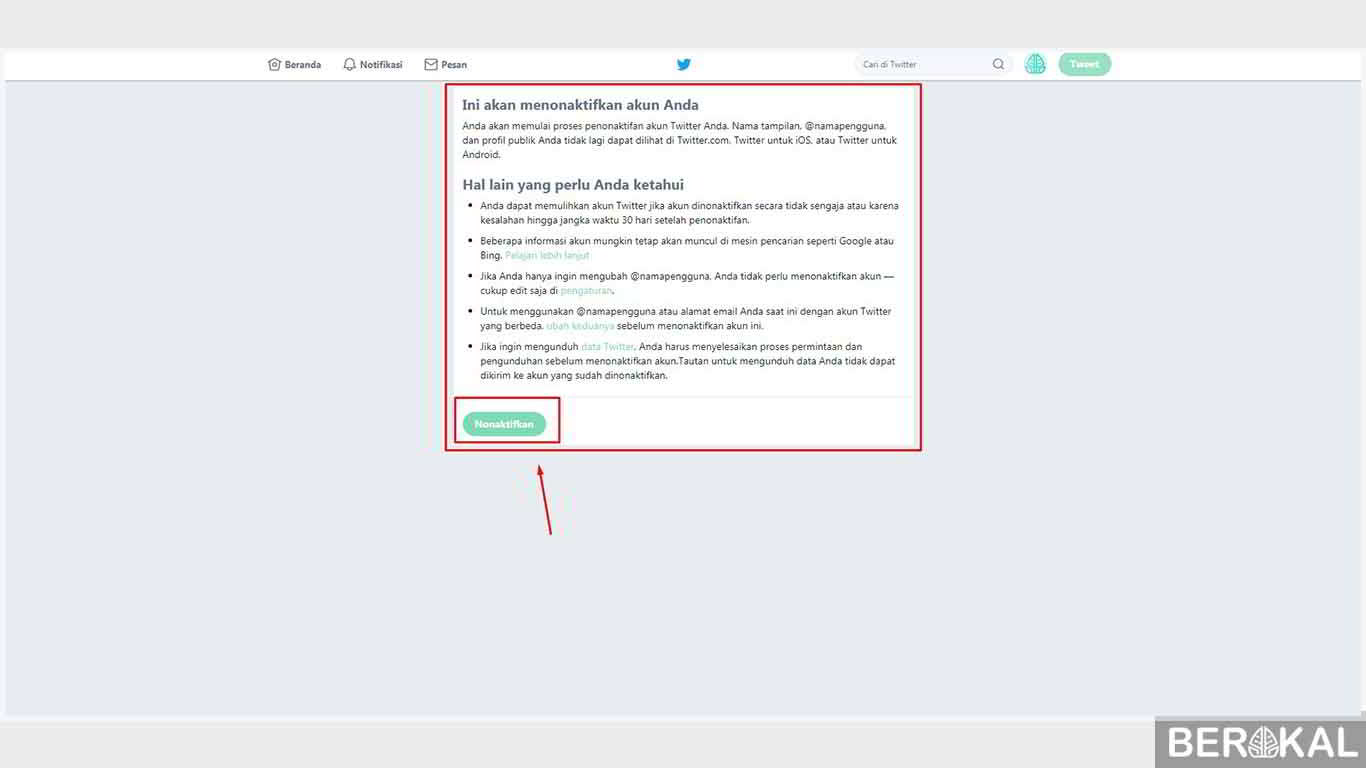
- After that enter our twitter password and finish. Our account was successfully deleted. H

2. Via cellphone
To delete a twitter account through a smartphone we have to access it via a browser. Because the Twitter application is available for Android, iPhone, Blackberry, and Windows Phone until now there is no option to delete the account.
How to delete a permanent Twitter account via cellphone:
- Open Google Chrome on our smartphone and then go to https://mobile.twitter.com/.
- After that, log in using the Twitter account that we will permanently delete.

- Click the account profile and then select the settings and privacy menu.
- Then click My account.
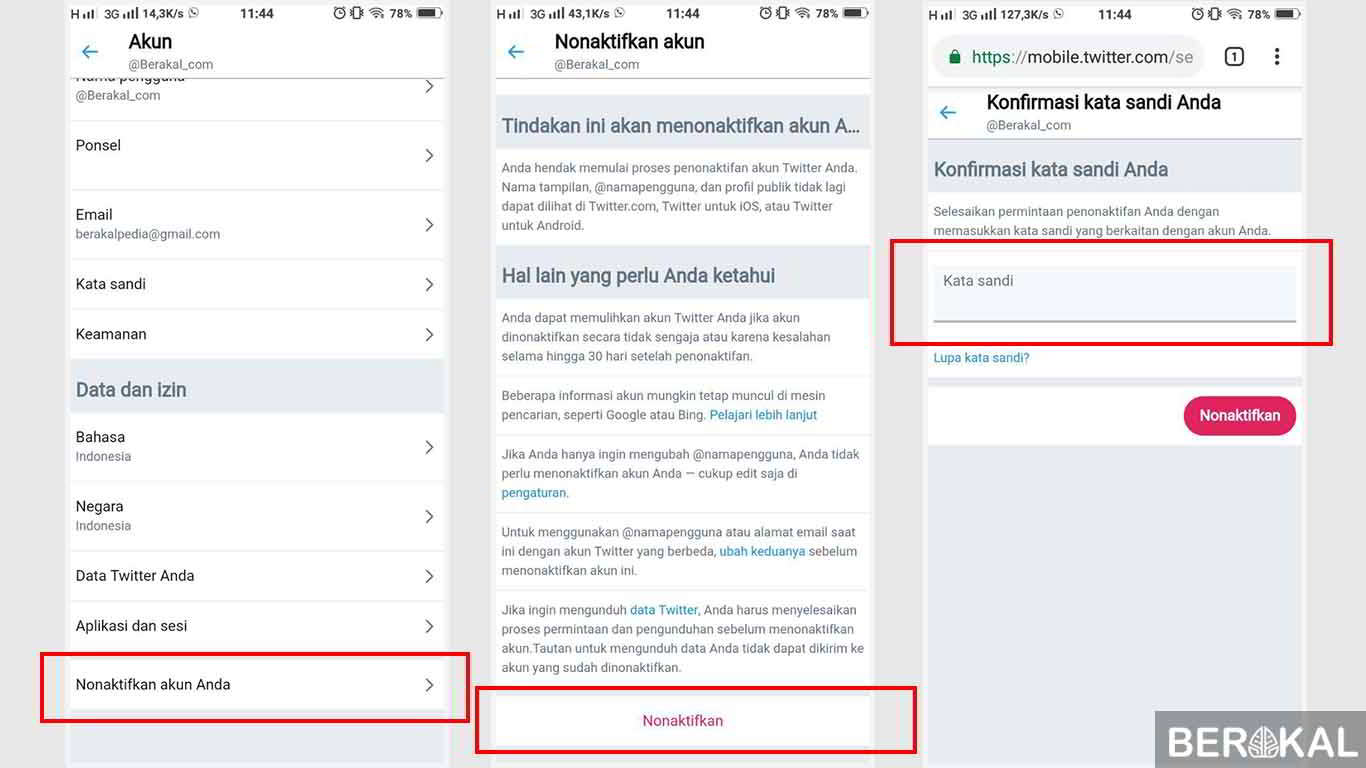
- Then select Disable your account and some explanations from Twitter will appear.
- Click the Disable red text. Then enter your twitter password.
- Next we will be redirected to the notification page stating that our account was successfully deactivated.
How? Quite easily, is it not a way to permanently delete a twitter account that gives sense? If there are questions you can ask in the comments column.
If we change our mind and want to activate our twitter account again we can cancel it before 30 days since we delete our account.