How to make a Google Form

Want to make a registration form or questionnaire with Google Form? How to make it is quite easy, we only need to log into the Google form and make what we want.
We can also design our Google form and save it in a spreadsheet or excel. We can do the google form on a computer or on our Android phone.
But before we learn how to create a google form. We recommend that we first know what the Google form is and what are its uses?
Google form is a service from Google to make online forms for free. The skills also vary, ranging from creating personal data forms, registration forms, making surveys, making questionnaires, and so forth.
By using Google Form, we no longer need to create forms manually and print them using paper. This is certainly very useful both in terms of time, efficiency, and also the environment.
Following are the steps to make it along with the image so that you understand it more easily.
How to Make a Google Form on a Laptop
We will more quickly create the form we want on Google using a laptop.
Steps to create a form:
- Open our web browser. After that visit https://docs.google.com/forms/u/0/ make sure we have logged in using our google account.
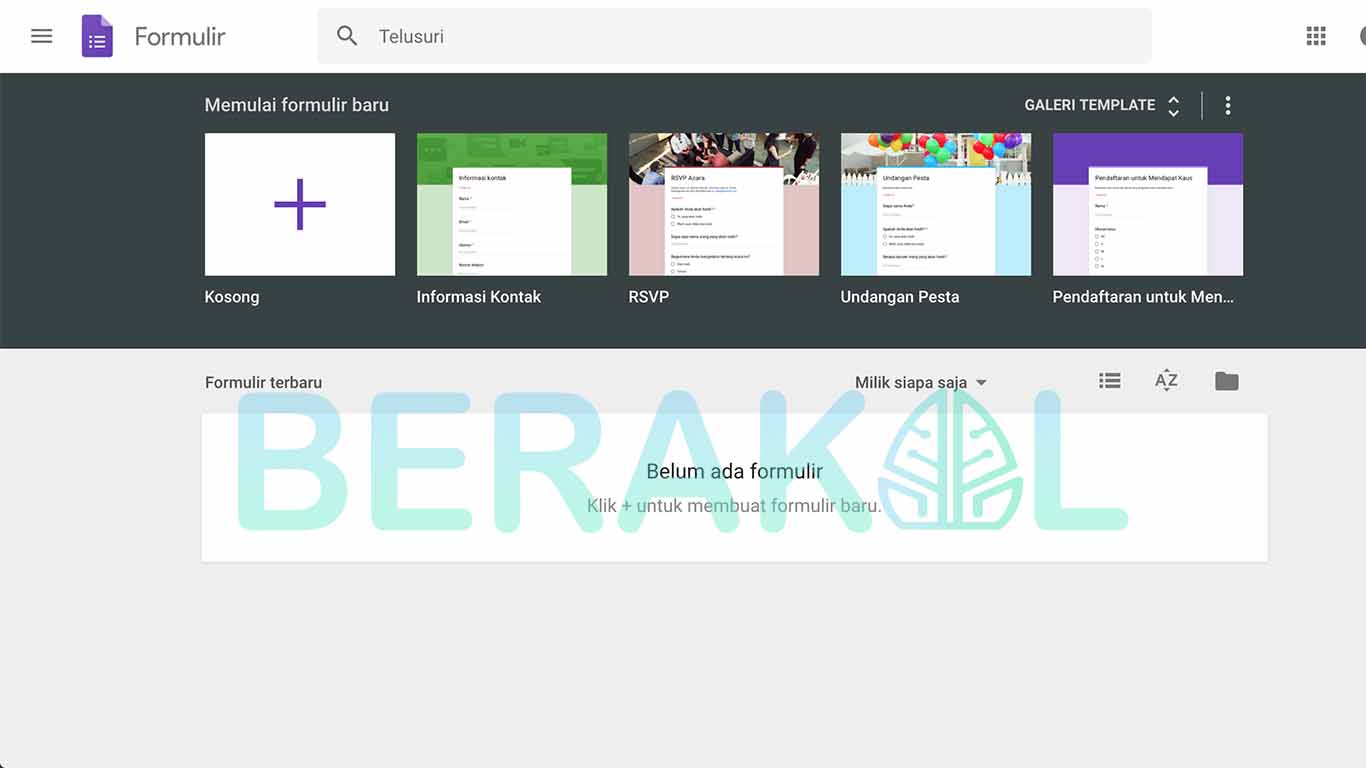
- Select the template to be used, here we will use a blank template. Because we can freely fill or design our form.
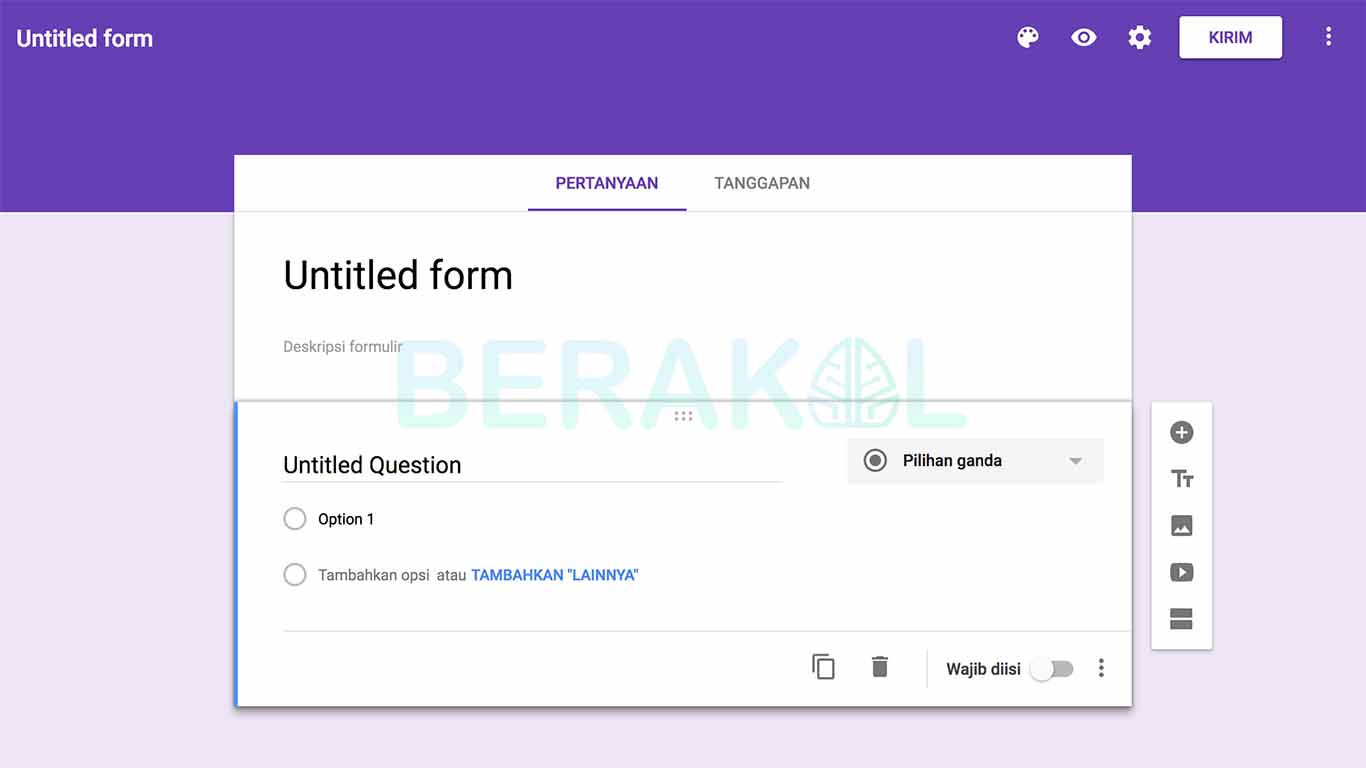
- Then fill in the title and brief description of the form.
- Make some questions that we need for the form. Then specify the response options of the questions we make such as short answers, multiple choices, and much more. Click the Add (+) icon to add new questions to the form.
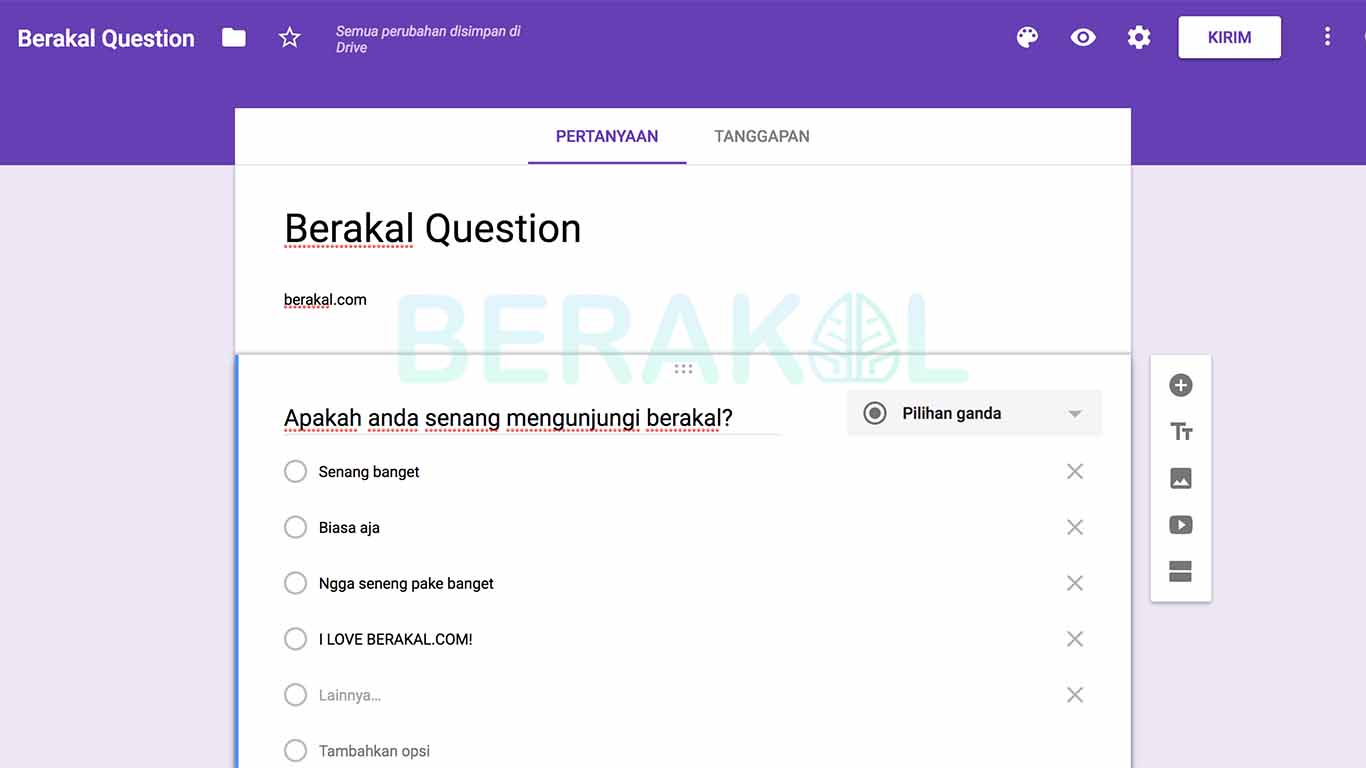
- If you have finished it. To share the form, click the send / send option in the upper right. Then select the shipping option either by email, share the link, or share it to Google+, Facebook and Twitter.
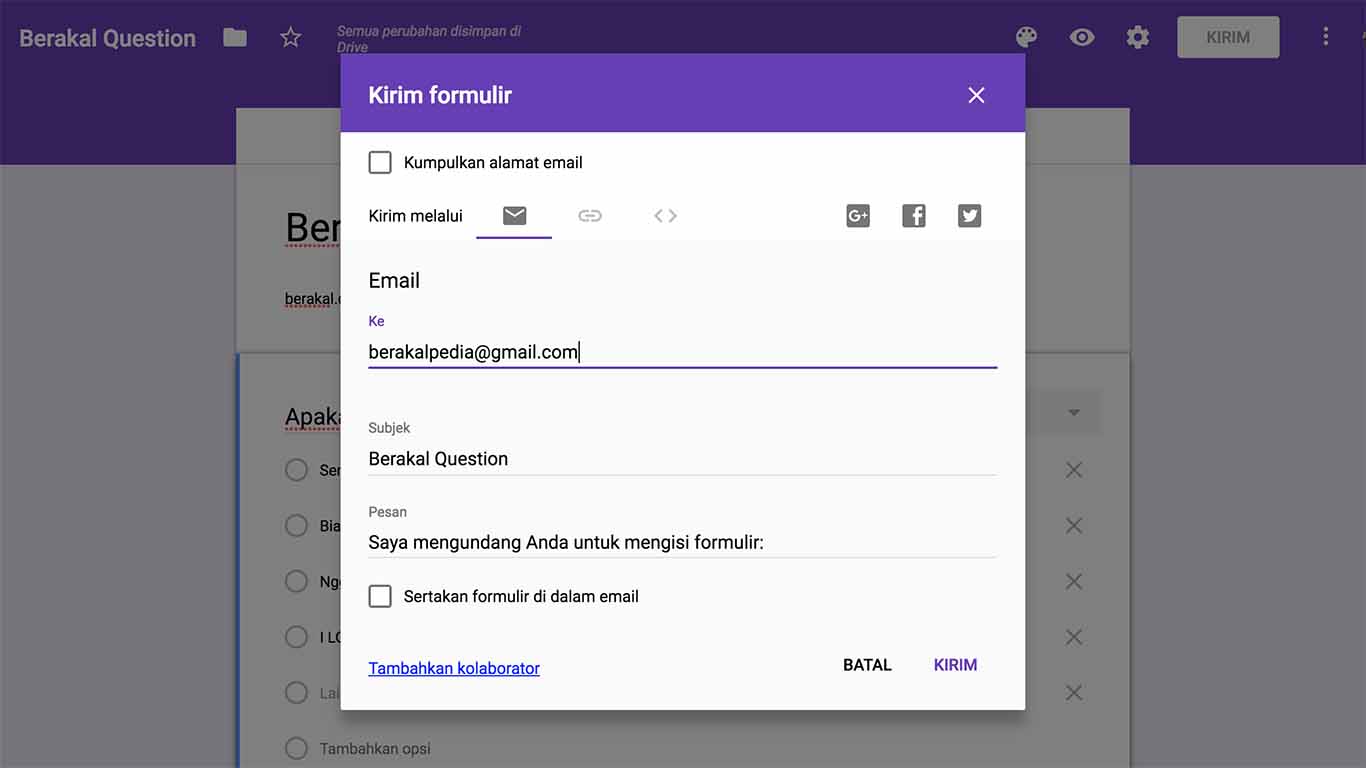
- Then click send.
- To see responses from the form that we shared earlier. Click the response option.
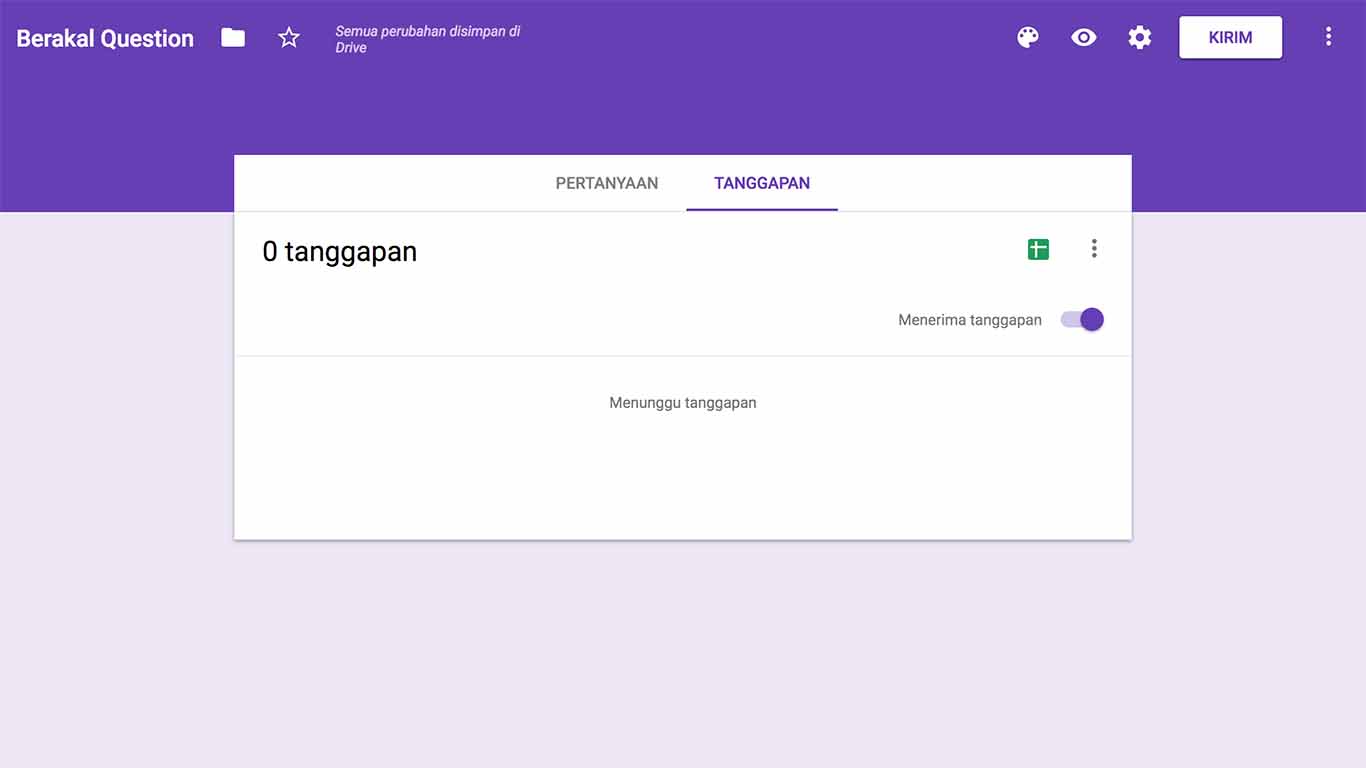
- Then all responses will appear from the form we made. In addition we can also save it to a spreadsheet by pressing the spreadsheet icon.
How to make a Google Form on a cellphone

Besides using a computer. We can also make Google Form through our Android. But beforehand, first install the FormsApp for Google Forms application through PlayStore.
To be able to make it follow a few steps below:
- Open the application that we downloaded earlier. A few introduction slides will appear when we first open them. Click Grant Permission to give access to the application. After that login using our google account.
- To start creating the form. Add sign on the bottom. Next select the appropriate template or choose Blank Form to set it yourself.
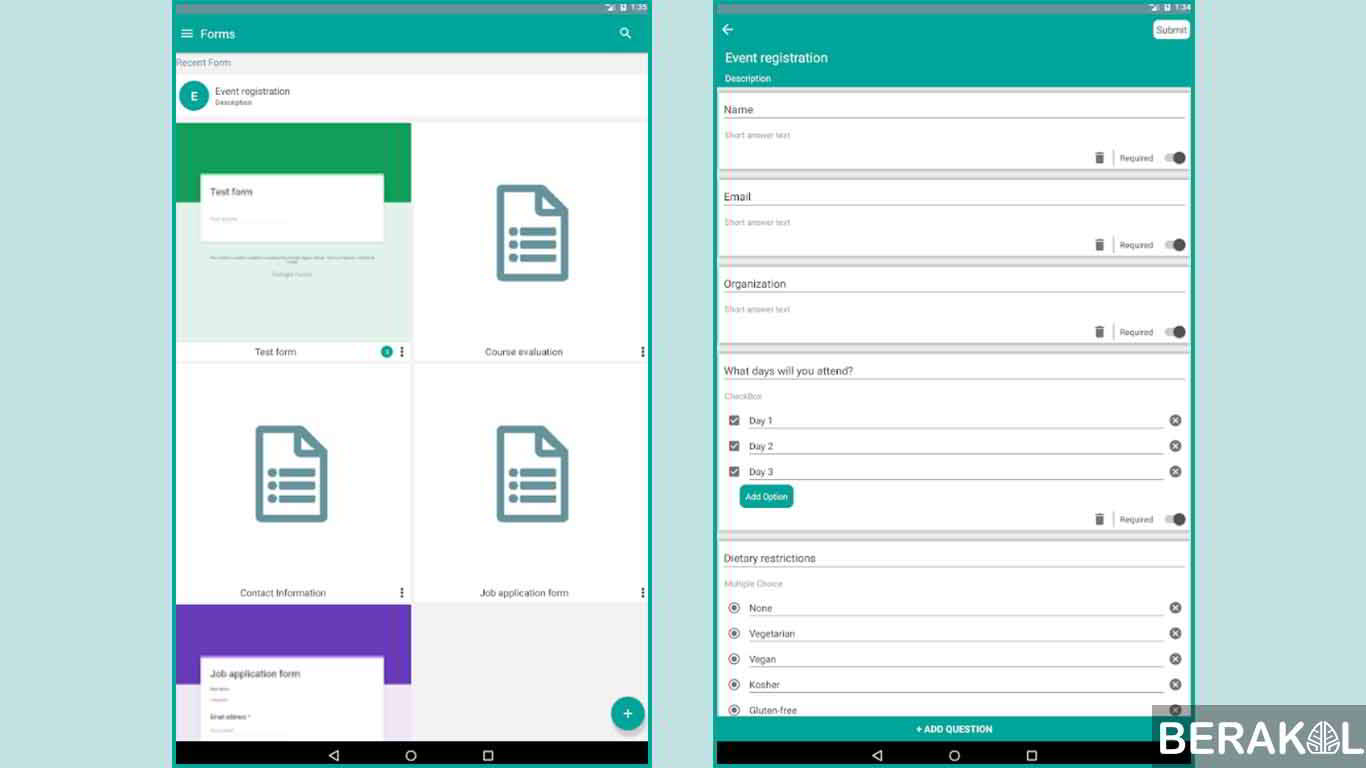
- Here we can start creating a google form. To add various questions click on the plus sign. Here we can also choose various responses to the answers to the questions we have made. Like Multiple Choice, Dropdown, Short Answer, and many more. Don't forget to give the title and also the description of the form.
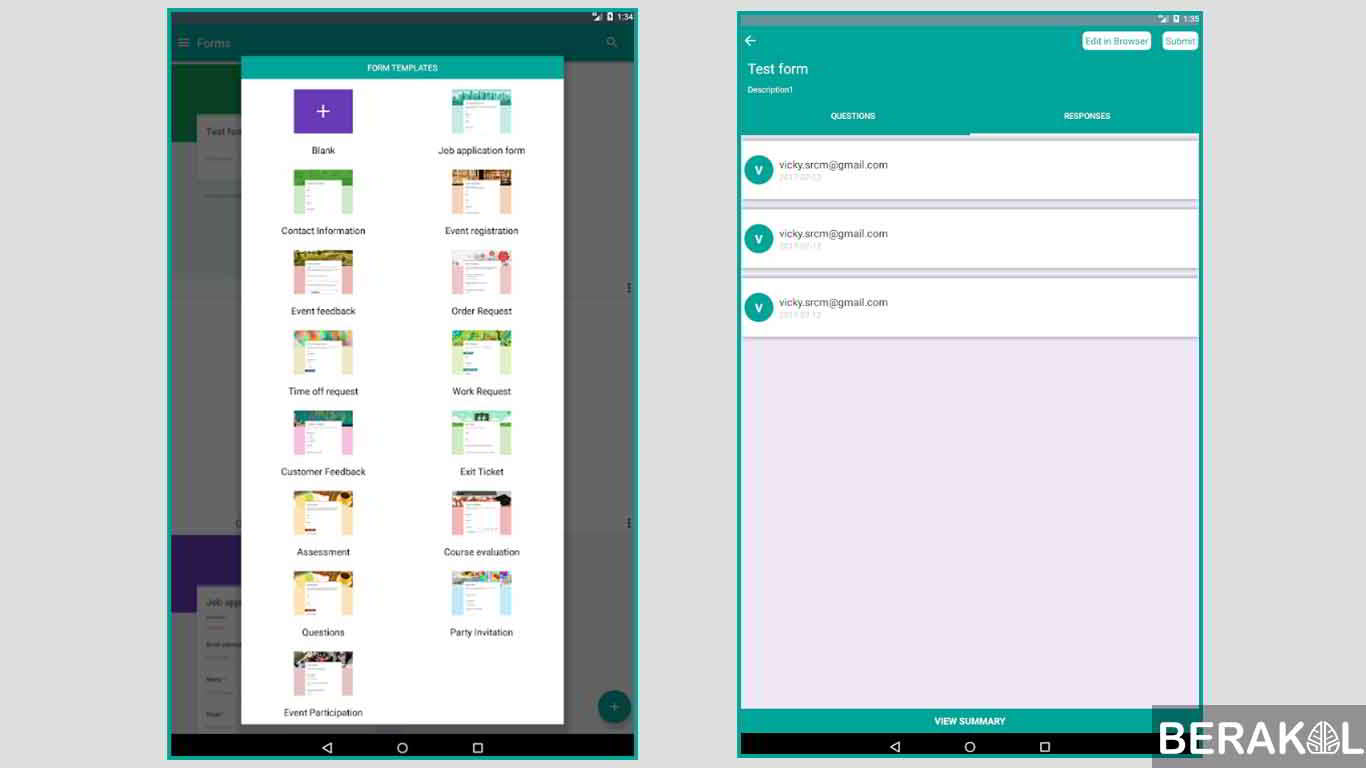
- After the manufacturing process is complete. Then tap on the submit option at the top right. A pop-up form setting will appear, check it as needed, then press submit.
- After finishing we can share the form in several ways. Like copying link links by pressing the Copy Link button, or Share via Whatsapp, Facebook, and other applications.
It's quite easy, not how to make a form using Google Form? Please practice both of the above methods using both a computer and an android. Good luck!