How to make a Youtube channel

Want to be a famous Youtuber who makes a lot of money? The method is quite easy, with only the Youtube channel with interesting content. So with the permission of Allah you will become a successful Youtuber. But there are still many who don't understand how to make their own Youtube channel.
We can create Youtube channels using either an Android smartphone or using a laptop. Here we will discuss these two ways.
Youtube itself is one of the major video provider media websites owned by Google. Through Youtube we can even upload various videos.
Not only that, we can also make live broadcasts with Youtube. Youtube itself has millions of active users, and also millions of new videos uploaded every day.
Youtube has given birth to a lot of fame for many channels that have video content favored by the audience.
No wonder if today many people want to be successful as a Youtuber by relying on their respective creativity.
If you want to share videos on Youtube and wish to become a Youtuber or professional creator content. The first step to do is to create a Youtube channel first.
With the Youtube channel that we have, we can upload various videos. In addition to uploading videos, using Youtube channels we can also create playlists, comment, and even broadcast live.
Then is it difficult to create your own Youtube channel? The answer is of course no. How to make the Youtube channel itself is actually very easy. Check out the following ways:
How to Make a Youtube Channel on a Laptop
The first way is to use a computer. Don't forget the computer that we will use to create Youtube channels must be connected to the internet.
The stage of creating your own youtube channel via computer:
- Create a Google account at accounts.google.com/signup.For those of us who already have a google account, this step can be skipped. Google account here we will use to login on Youtube.
- Open the Youtube.com site.
- Enter Youtube using the account created earlier. After successfully entering, click on our Youtube account icon. After that, click the gear icon.
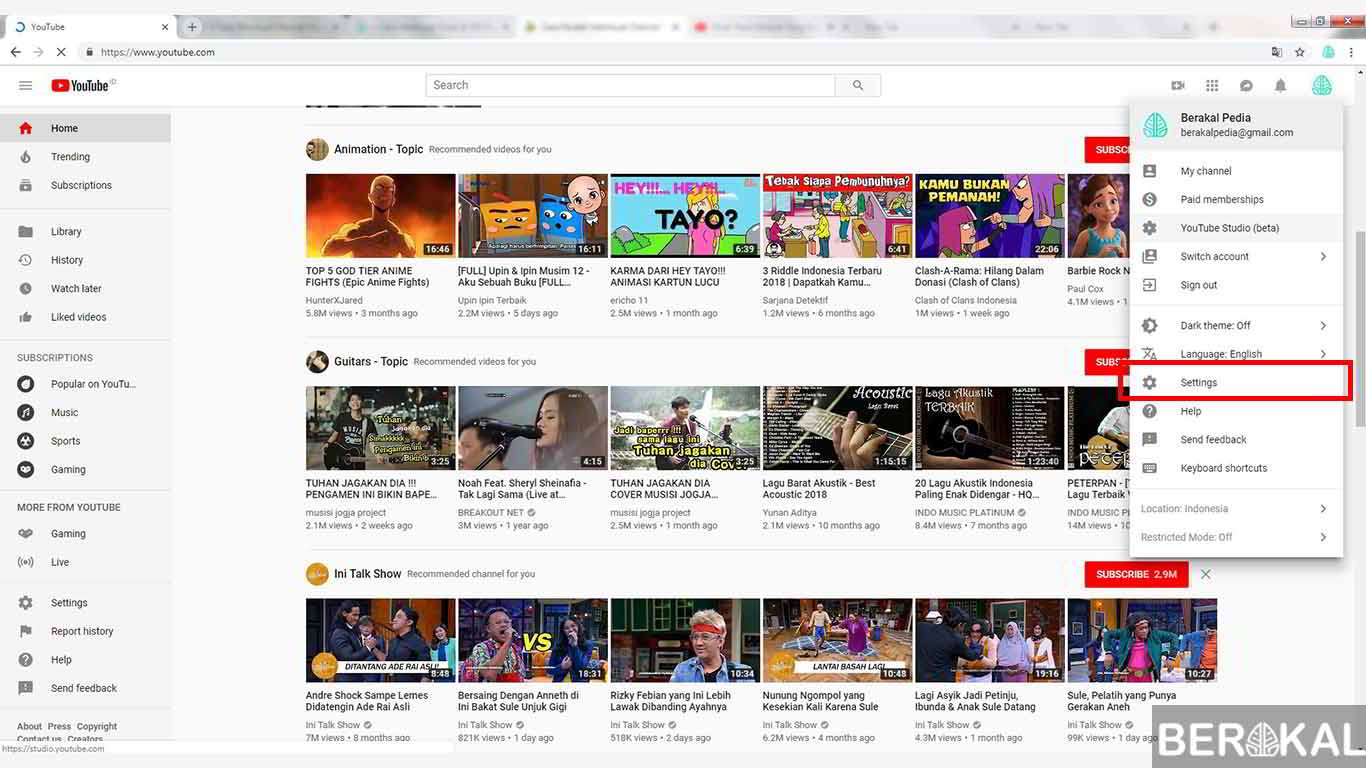
- Next, a dashboard page will appear. On this page we will create a Youtube channel. Click on the words "Add New Channel".
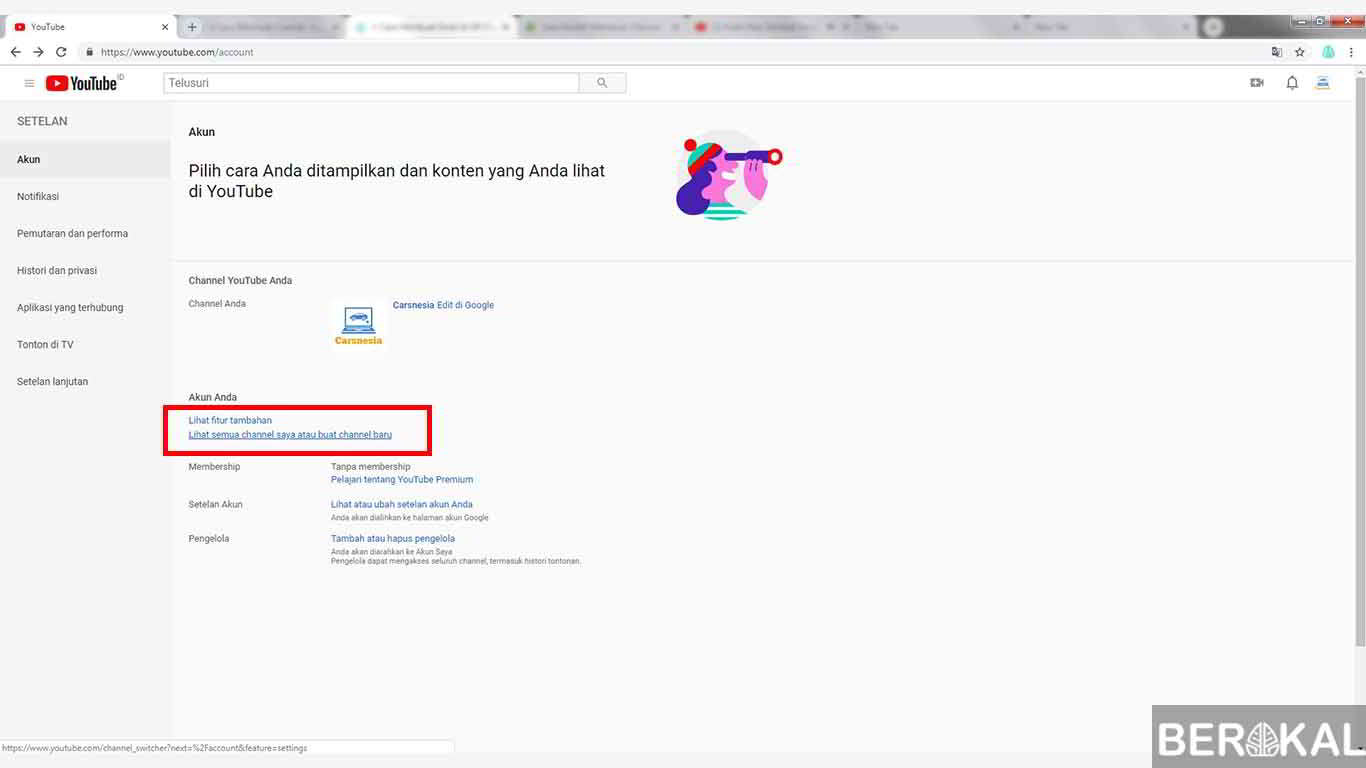
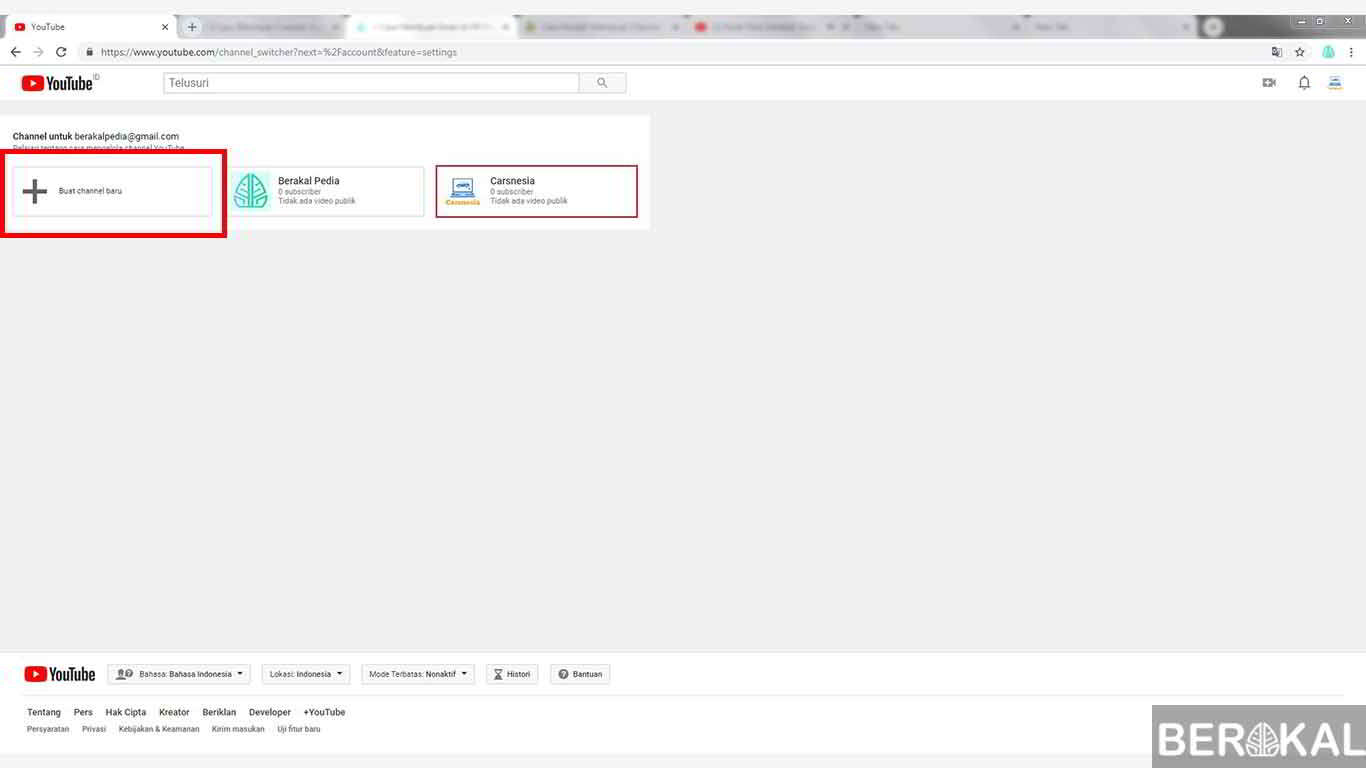
- Then please click Create New Channel.
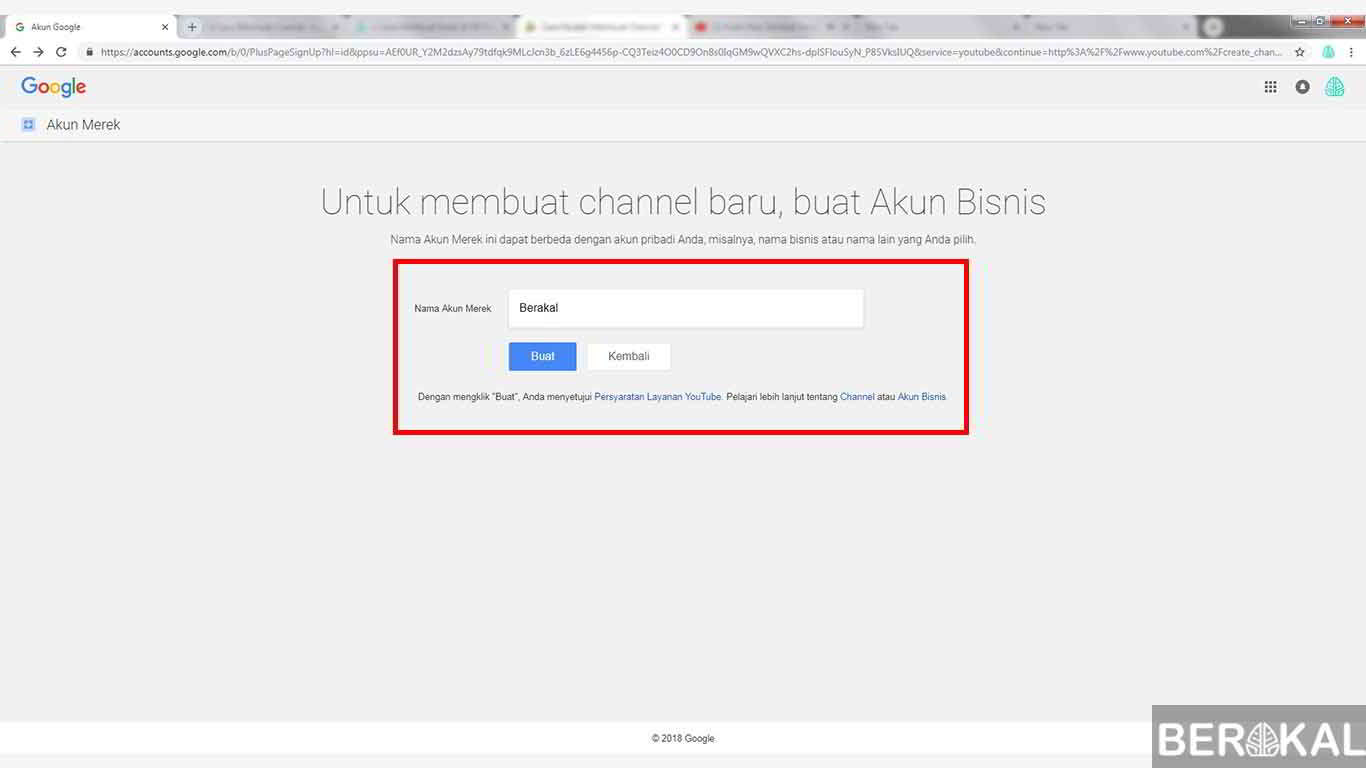
- Give the name of the Youtube Channel that we will create. If so, click Create.
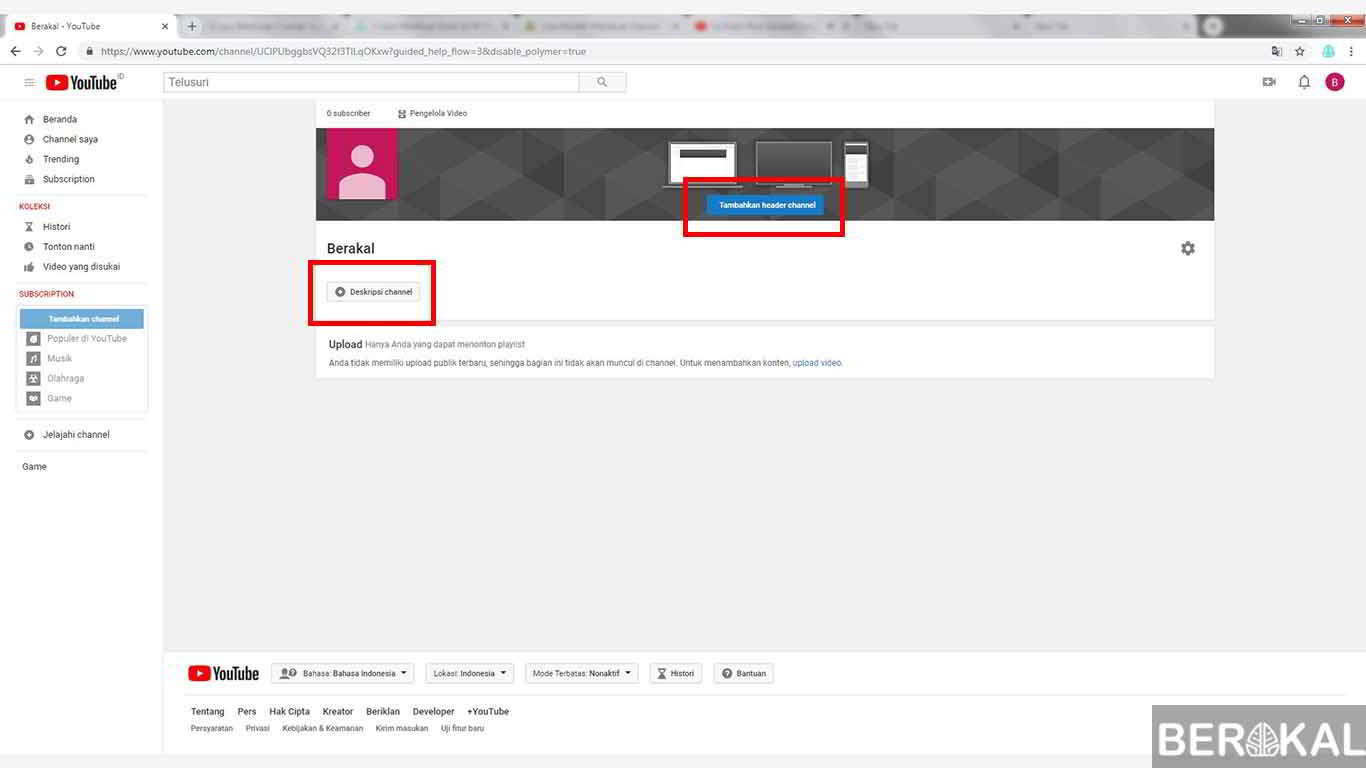
- The Youtube Channel was successfully created. Now we can upload various videos by clicking the upload button. Don't forget to set the Adjust Channel to make it more attractive.
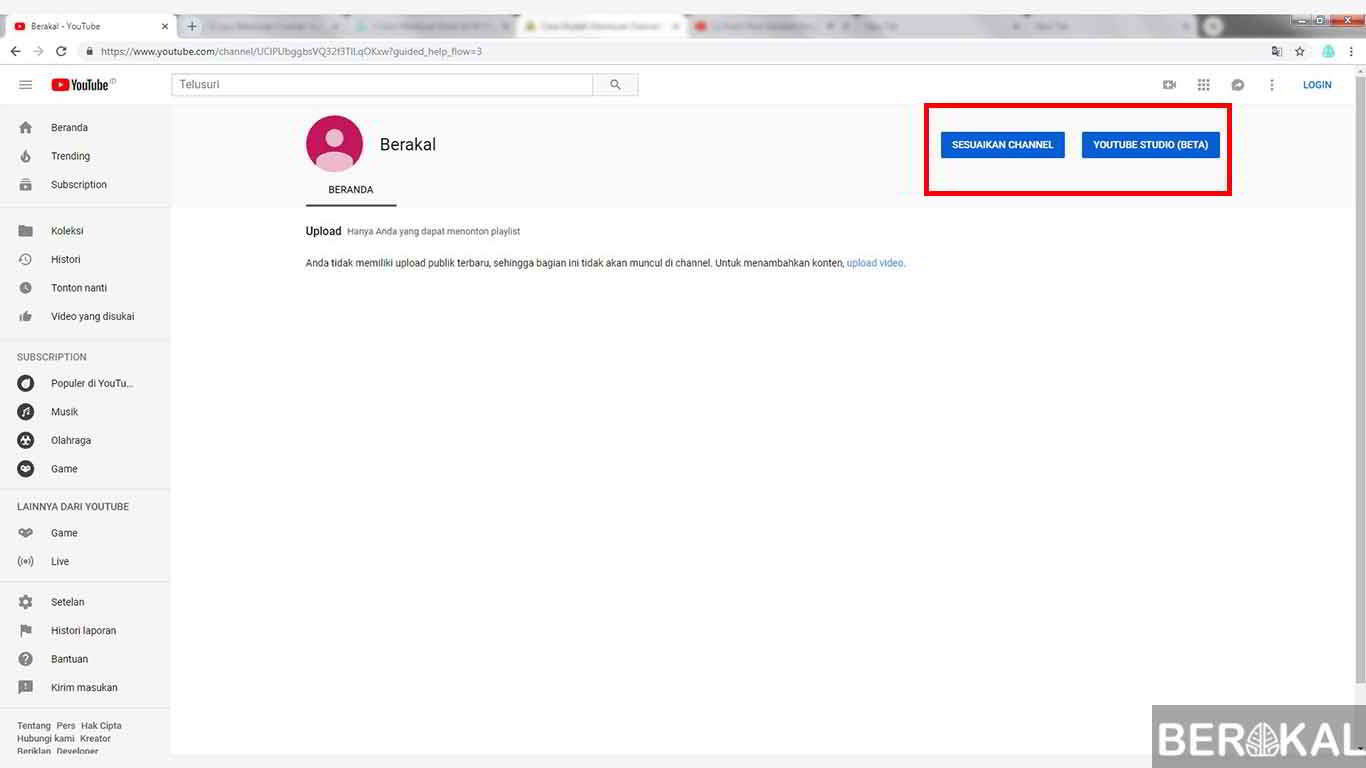
- You can set the Chanel Description and channel header along with the profile photo.
Easy enough right? Not just using a laptop. We can also make Youtube channels using an Android smartphone. Here's how to create a Youtube channel via Android.
How to make a Youtube channel on a cellphone
After using a computer. It will also share other ways, namely using an Android smartphone
Make youtube channel on android:
- Open the Youtube application on our smartphone.
- Login or Sign in using a Youtube account or google account.
- Then click sign in.
- Select the account that we will use to create a Youtube channel.
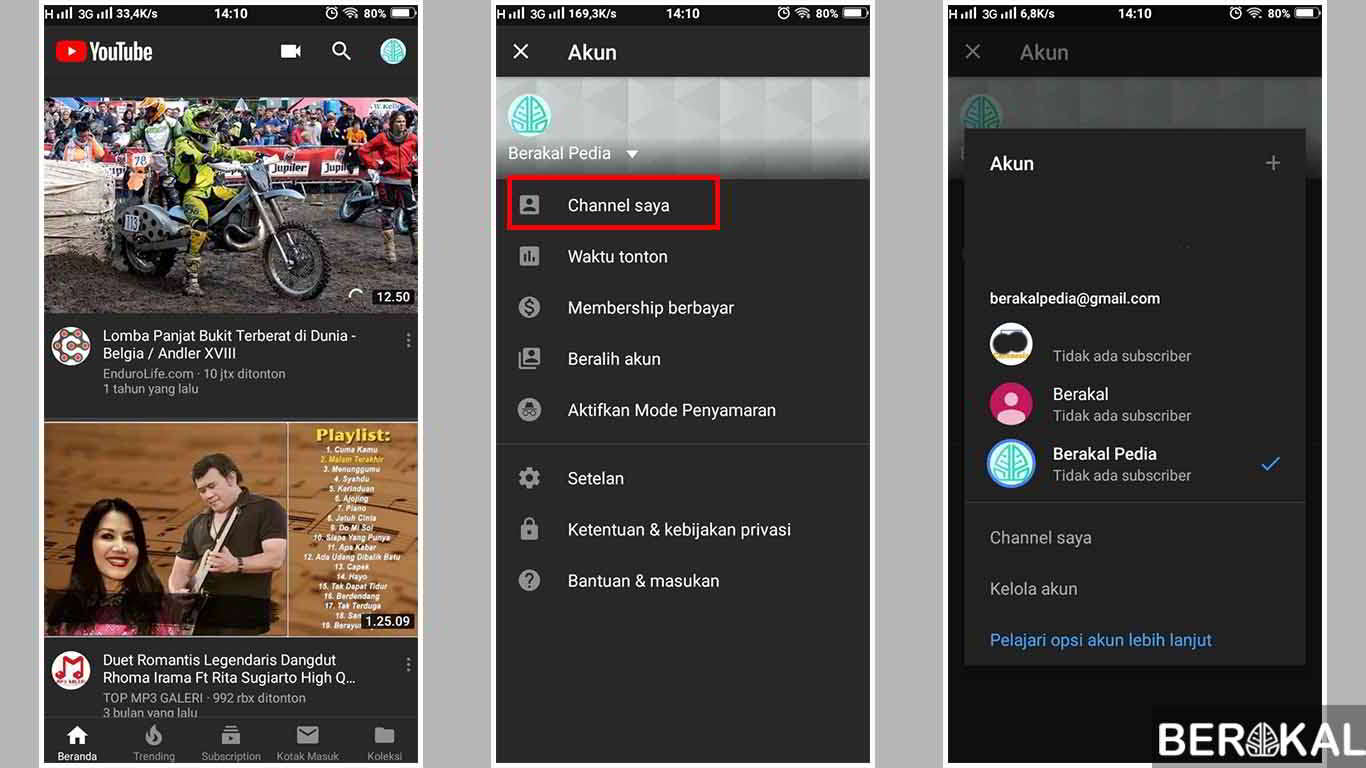
- After successfully entering. Click on the profile icon of our Youtube account in the upper right corner.
- Next select the My Channel option to start creating the Youtube Channel.
- Fill in the First Name and Last Name as the name of the Youtube channel that we will create. After that, click Create Channel.
- Congratulations on the Youtube Channel successfully created. We can start uploading videos to the channel. We can also change the channel settings that we made earlier by pressing the gear icon.
Now that's an easy way to make Youtube channels quickly. Easy enough right?
The Youtube channel itself can accommodate various videos that we upload. But some Youtuber choose to make several channels according to the video category.
This is intended to make the channel neater and more comfortable to see. But calm to create a new channel we no longer need to create a new Google account or Youtube account.
Because we can use one google account to create several Youtube channels at once.
Hopefully your dream of becoming a successful Youtuber is accomplished by creating the Youtube channel. May be useful!!!