How to Download Videos on Facebook

When you find a video on YouTube, you may easily download it. But it's different if on Facebook, you might not know how to download videos on Facebook, so you don't know how. But everything will be solved in this article.
As one of the biggest social media, Facebook brings several interesting platforms such as writing status, images, videos, and so on. But the things that are most popular or are of interest to users certainly are presented in the form of videos.
Sometimes some of you intend to download available videos. Unfortunately, from Facebook itself does not provide a download feature, but only provides a feature to store videos only.
That certainly will be a little inconvenient, because you have to open Facebook before you can just watch the video.
But at this time there has been a proliferation of supporting applications that function to download videos from Facebook. Following are steps to download videos from Facebook.
1. Videoder

You can try an application called Videoder. This application is actually dedicated to downloading videos from Youtube, but there are features that you can use to download videos on Facebook.
Here's how to use it:
- Open the Videoder application first.
- Next select Facebook in the view below.
- After that, enter your ID and Facebook password on the login screen.
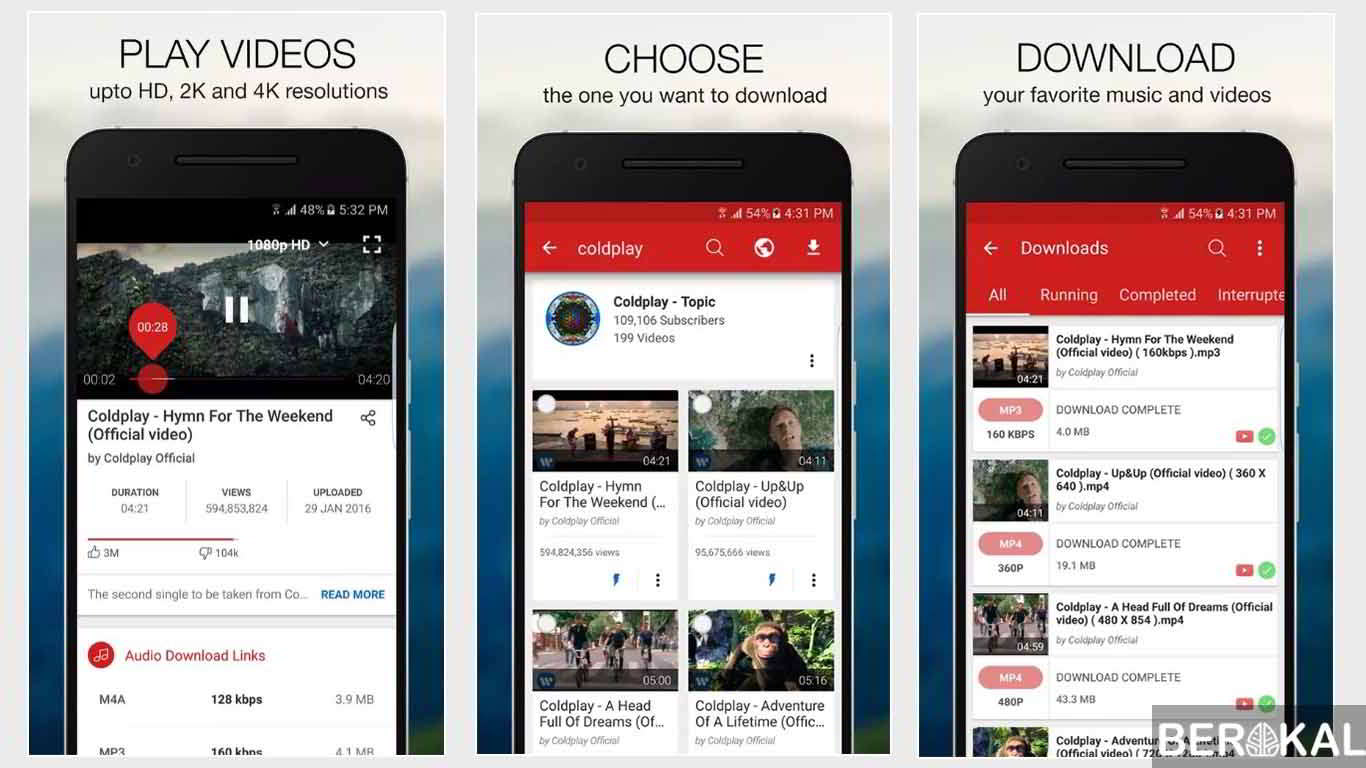
- Then select the video you want to download.
- Then you are asked to choose the quality of the video when you want to download.
- Videos are ready to download!
2. MyVideoDownloader for Facebook

Since the number one application is not in the Playstore and you want only from Playstore, we recommend this application. MyVideoDownloader for Facebook has been downloaded more than 10 million times and has a good rating.
The advantages of this application:
- The only Android application that can download HD videos.
- Send videos or GIFs on WhatsApp or Telegram directly.
- Find videos that you watch, like, save, and more.
- Find your favorite GIF, saved, and many others.
- Find and download any video by browsing the Facebook website directly.
- Download videos shared by your friends.
- Download videos from your news, group or page.
How to use this application:
- Download and install MyVideoDownloader for Facebook from Playstore.
- Open the application.
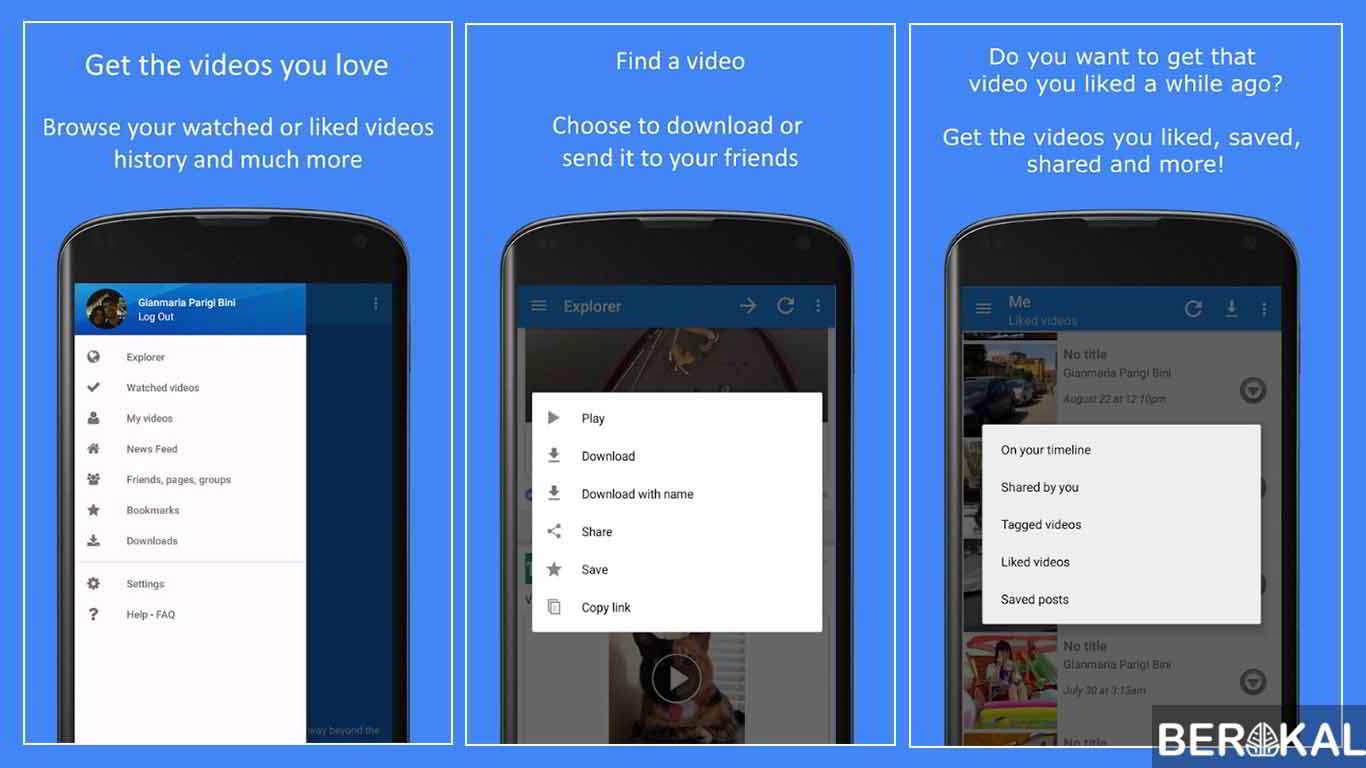
- In the application there are many menus that can be used.
- You can immediately open Explorer to start searching for the desired video on Facebook.
- After that click download.
3. How to Download Videos on Facebook Without an Application
After explained how to download via additional applications, here will also be explained how to download videos without an application. Maybe some of you will choose to use this method because it doesn't need to be difficult to download the application above.
You can visit several video download sites. As an example:
- FBDown.net
- SaveFrom.net
- DreDown.com
Following are the steps:
- Open the Facebook site as usual, then find the video you want to download.
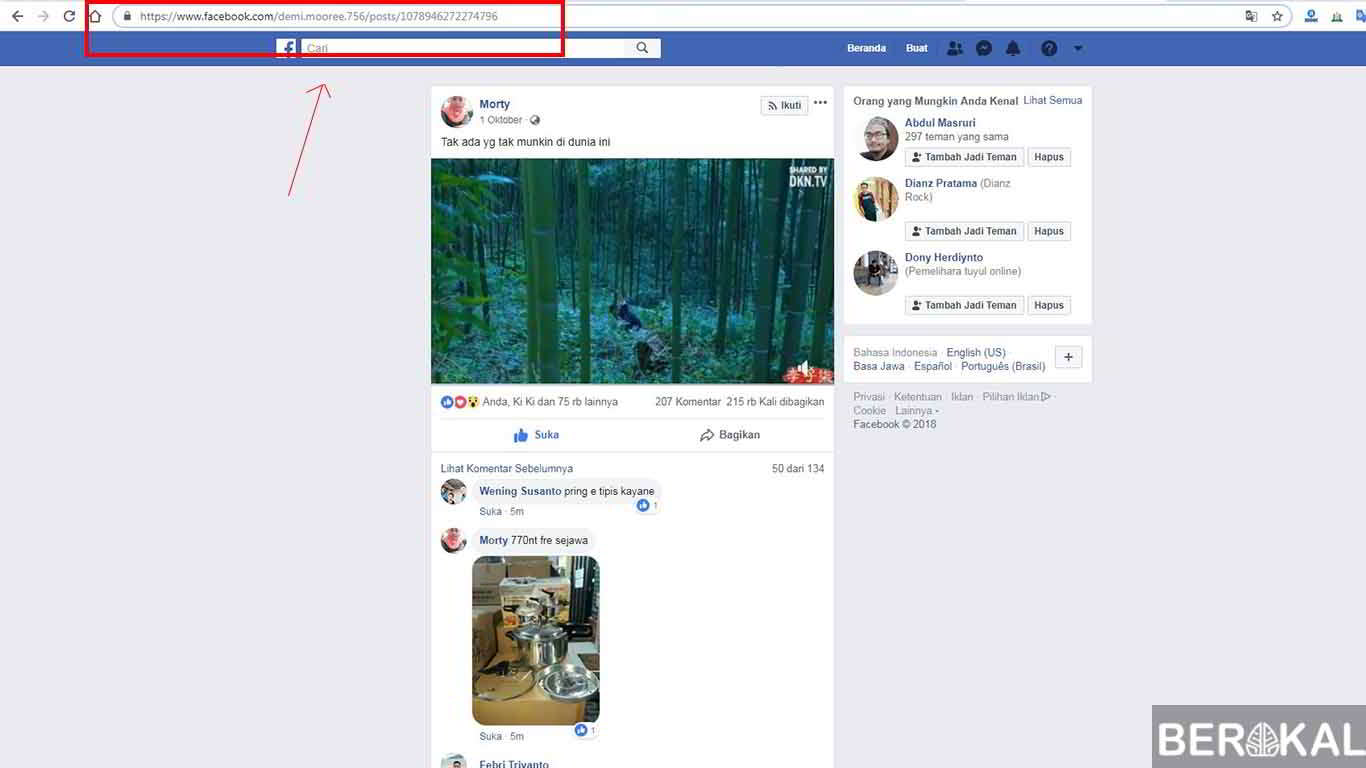
- If the video you want to download has been opened, copy the Video URL. If it's not clear, you can see the image below.
- Open one of the three Facebook video download sites described above. You can choose according to taste.
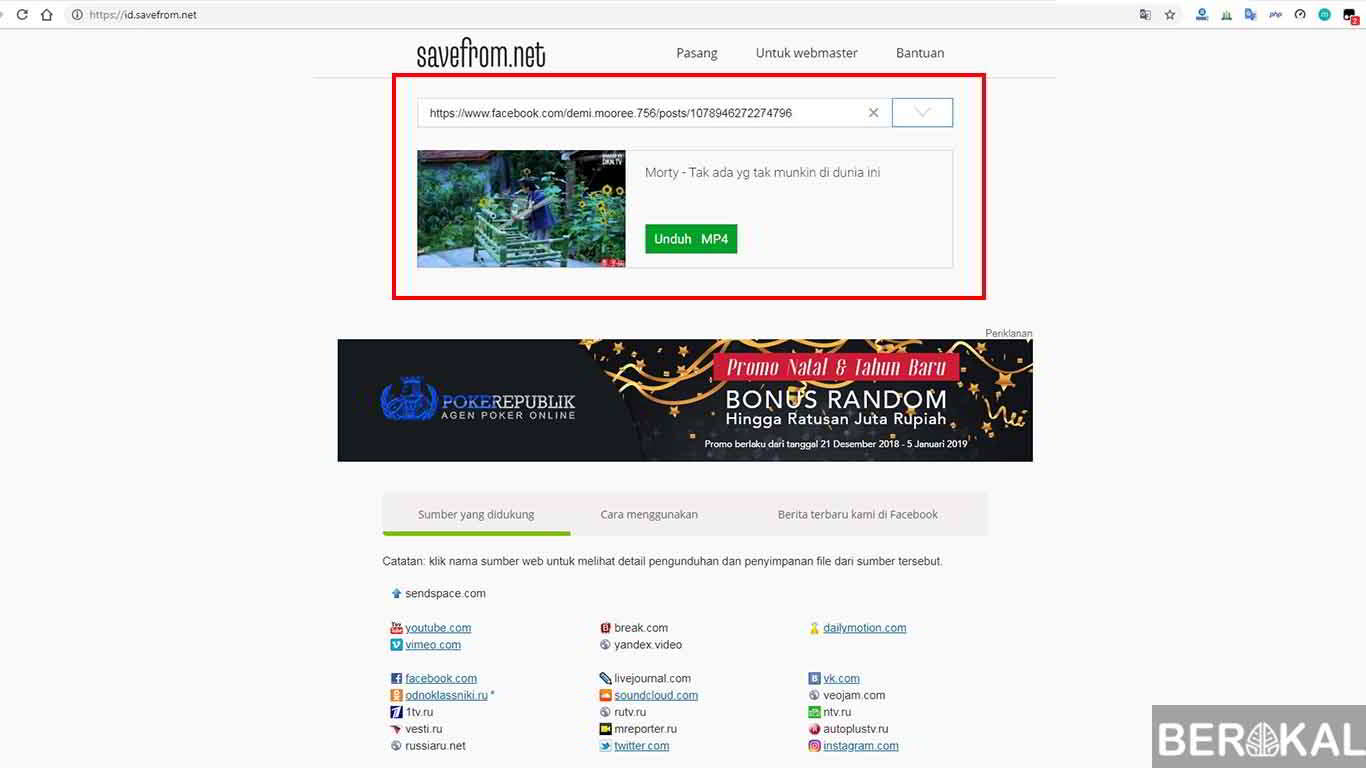
- Paste the Link URL that was copied to the column available on the site.
- Select the quality of the video you want to save, then click Download.
- Finished.
That's how to download videos on Facebook, you can use the application on Android or without an application on PC. Please share the video collection on Facebook as much as you like.